ChatOllama
Prerequisite
- Download Ollama or run it on Docker.
For example, you can use the following command to spin up a Docker instance with llama3
docker run -d -v ollama:/root/.ollama -p 11434:11434 --name ollama ollama/ollama
docker exec -it ollama ollama run llama3
Setup
- Chat Models > drag ChatOllama node
.png)
- Fill in the model that is running on Ollama. For example:
llama2. You can also use additional parameters:
.png)
- Voila 🎉, you can now use ChatOllama node in SamaFlow
.png)
Running on Docker
If you are running both SamaFlow and Ollama on docker. You'll have to change the Base URL for ChatOllama.
For Windows and MacOS Operating Systems specify http://host.docker.internal:8000. For Linux based systems the default docker gateway should be used since host.docker.internal is not available: http://172.17.0.1:8000
.png)
Ollama Cloud
- Create an API key on ollama.com.
- In SamaFlow, click Create Credential and select Ollama API, and enter your API Key.
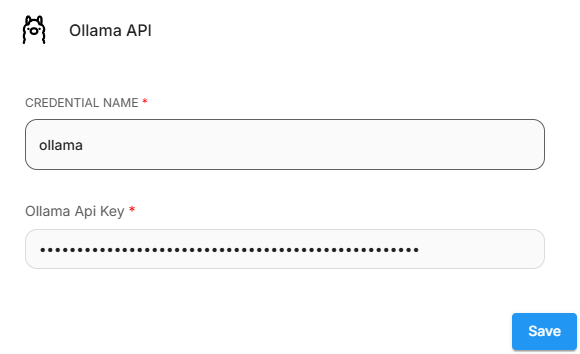
- Then, set the Base URL to
https://ollama.com - Enter the models that are available on Ollama Cloud.
.png)